LivePulse
Read the mood of the room in thirty seconds. Ask anything, and every answer lands on the board at once.
What it is
Want to know how the room is actually doing? Ask, and watch every answer land at once.
- Is this landing, or have you lost them? A word cloud answers that before you carry on.
- Write the questions before you start: a word cloud, a multiple choice, or open text.
- Launch it, and everyone answers from their phone.
- Word clouds assemble as people type, with the most common answer growing largest.
Why it works
Four hands up tells you what four people think. This tells you what the room thinks.
- Anonymity is on by default.
- That is exactly why you get honest answers to "what did you not understand about this?".
- Reading a room by looking at faces is guesswork. Thirty answers on a board is not.
Every screen you will touch, in order.
Real screenshots of the real thing. Swipe, or use the arrows. Nothing here is a mock-up.
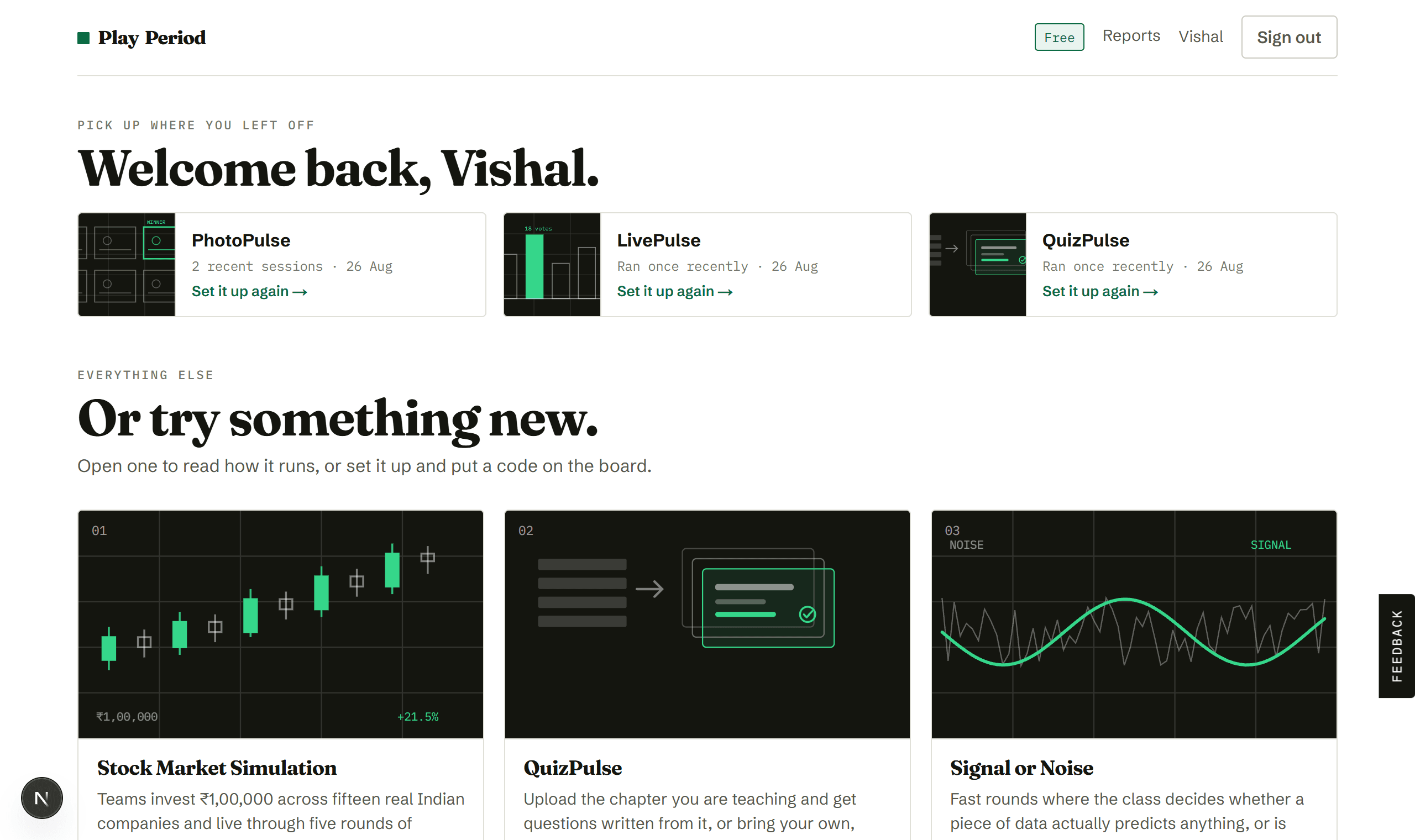
Pick an activity
Your library. Open any tile to read how it runs before committing to it.
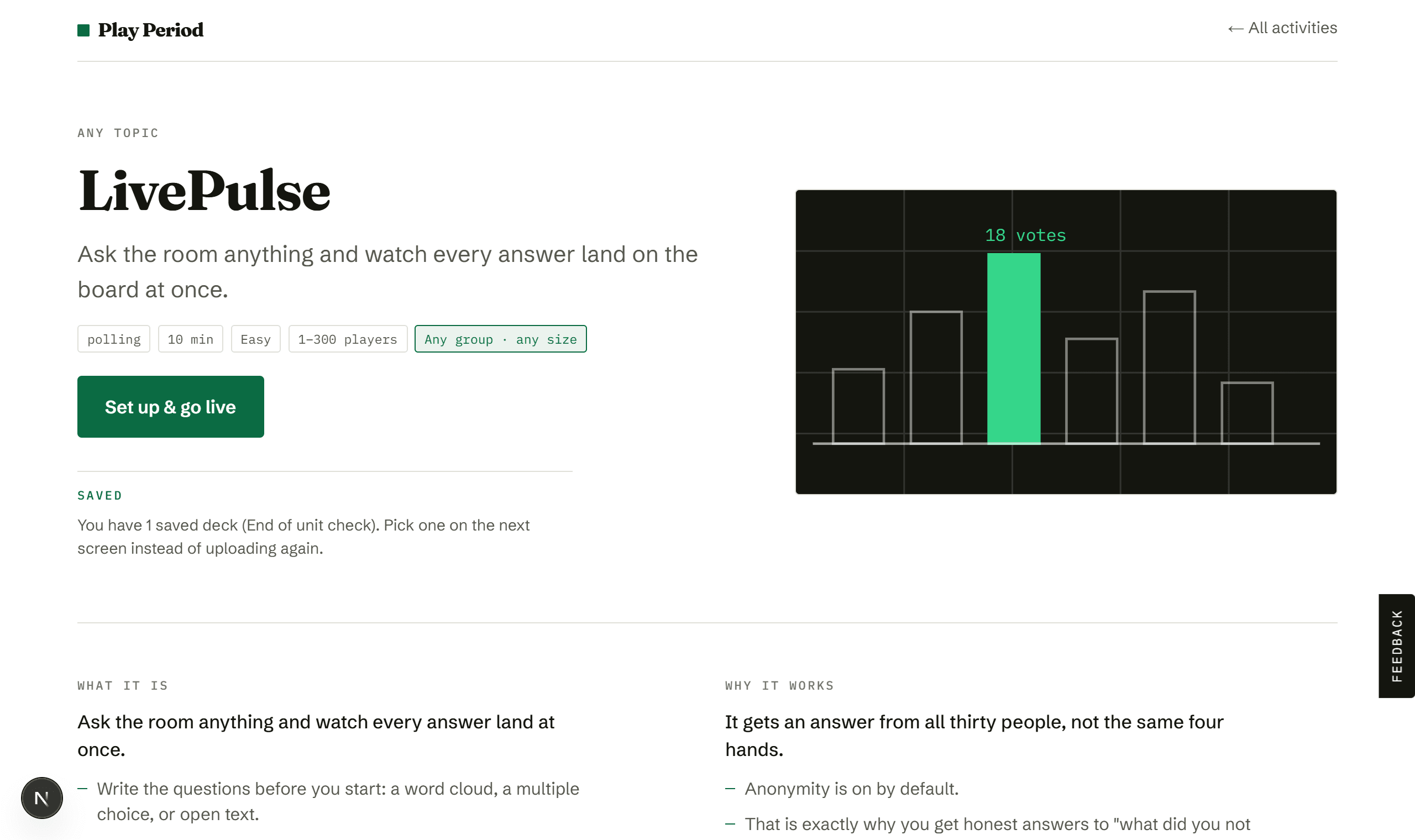
See how it runs
Three question types, answered from any phone, shown on your board as they arrive.
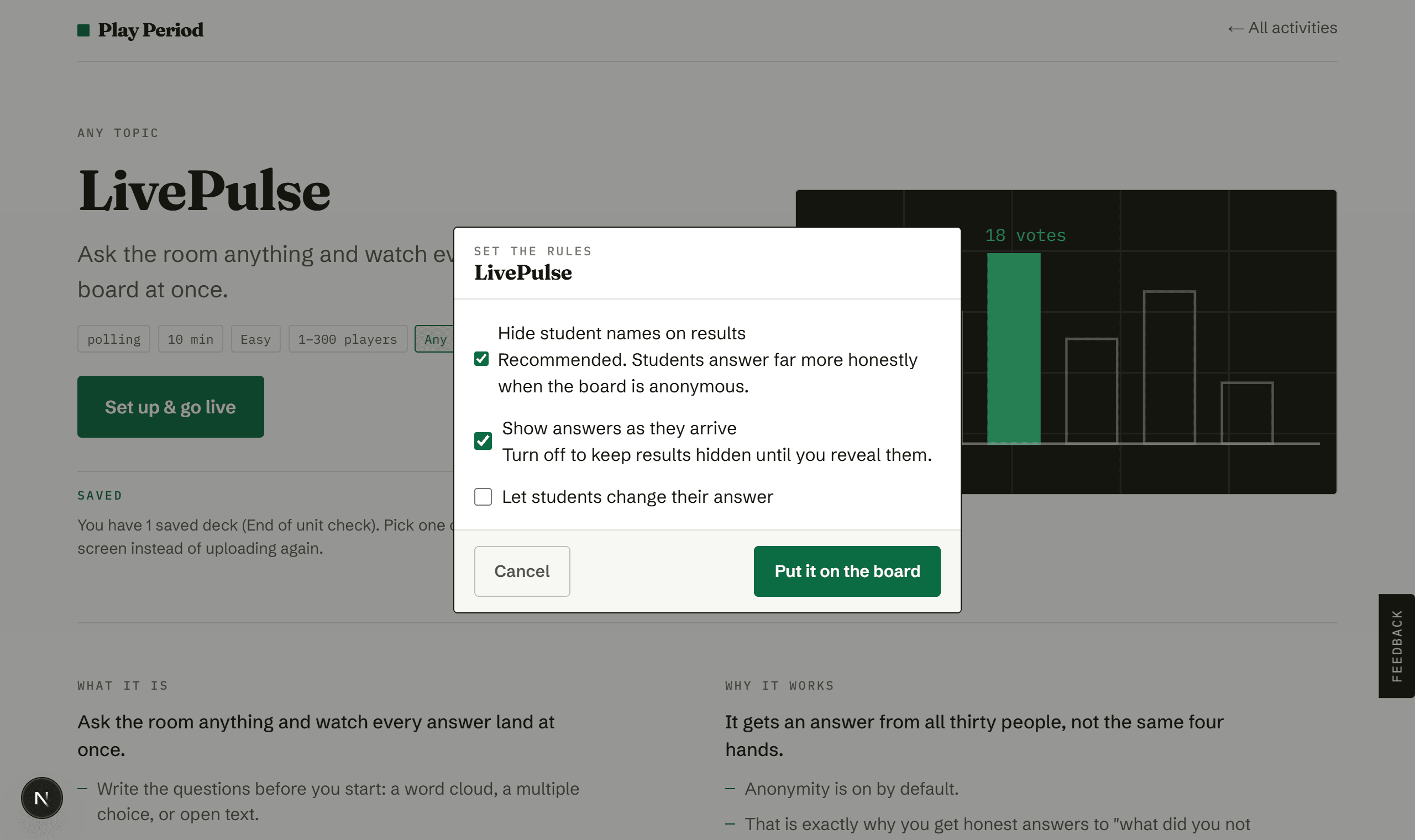
Set the rules
Anonymous by default. Leave it on, because it is why the answers are worth reading.
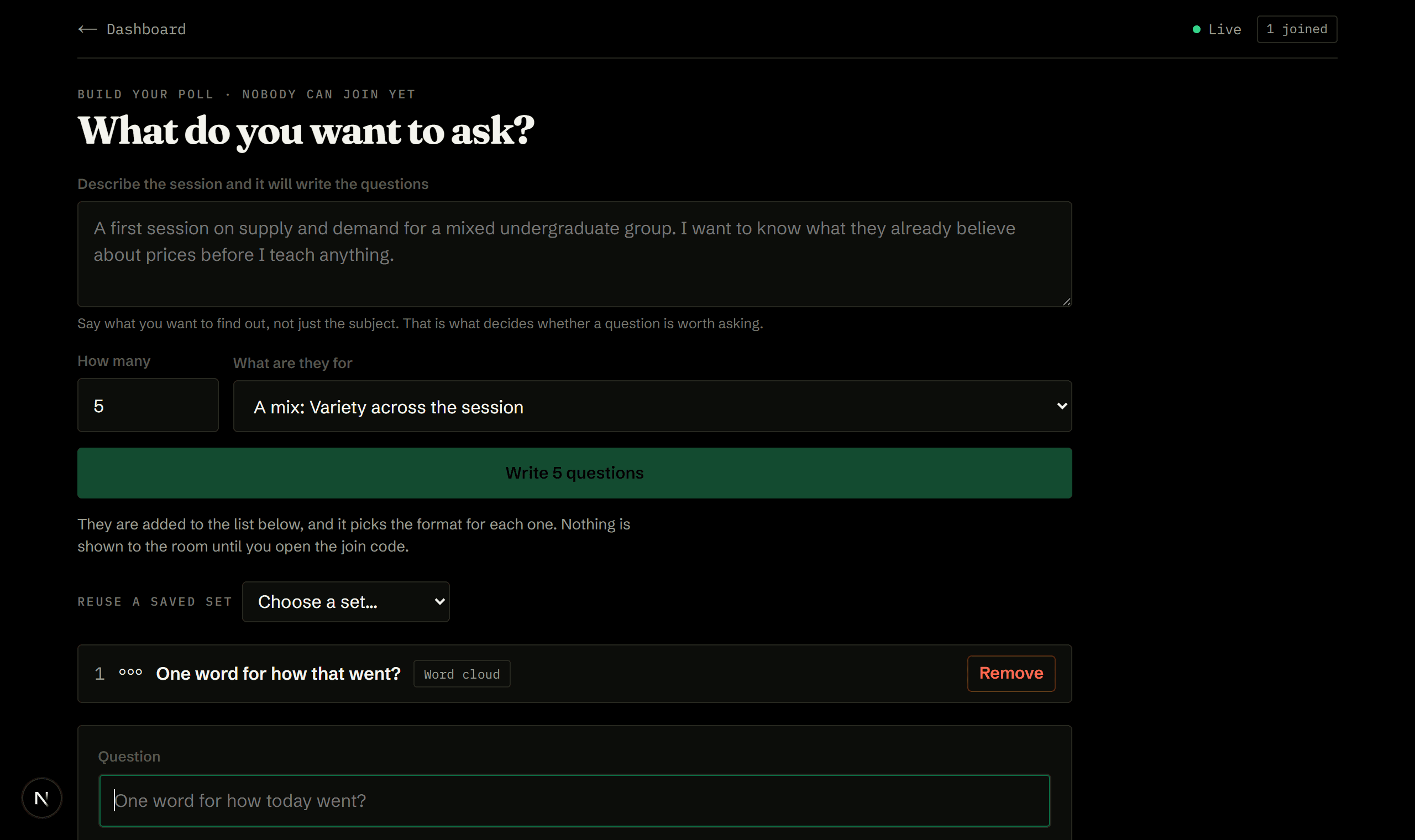
Write your questions
No join code on this screen, on purpose, so the room cannot read the questions before you ask them. Save the set here if you will want it again.
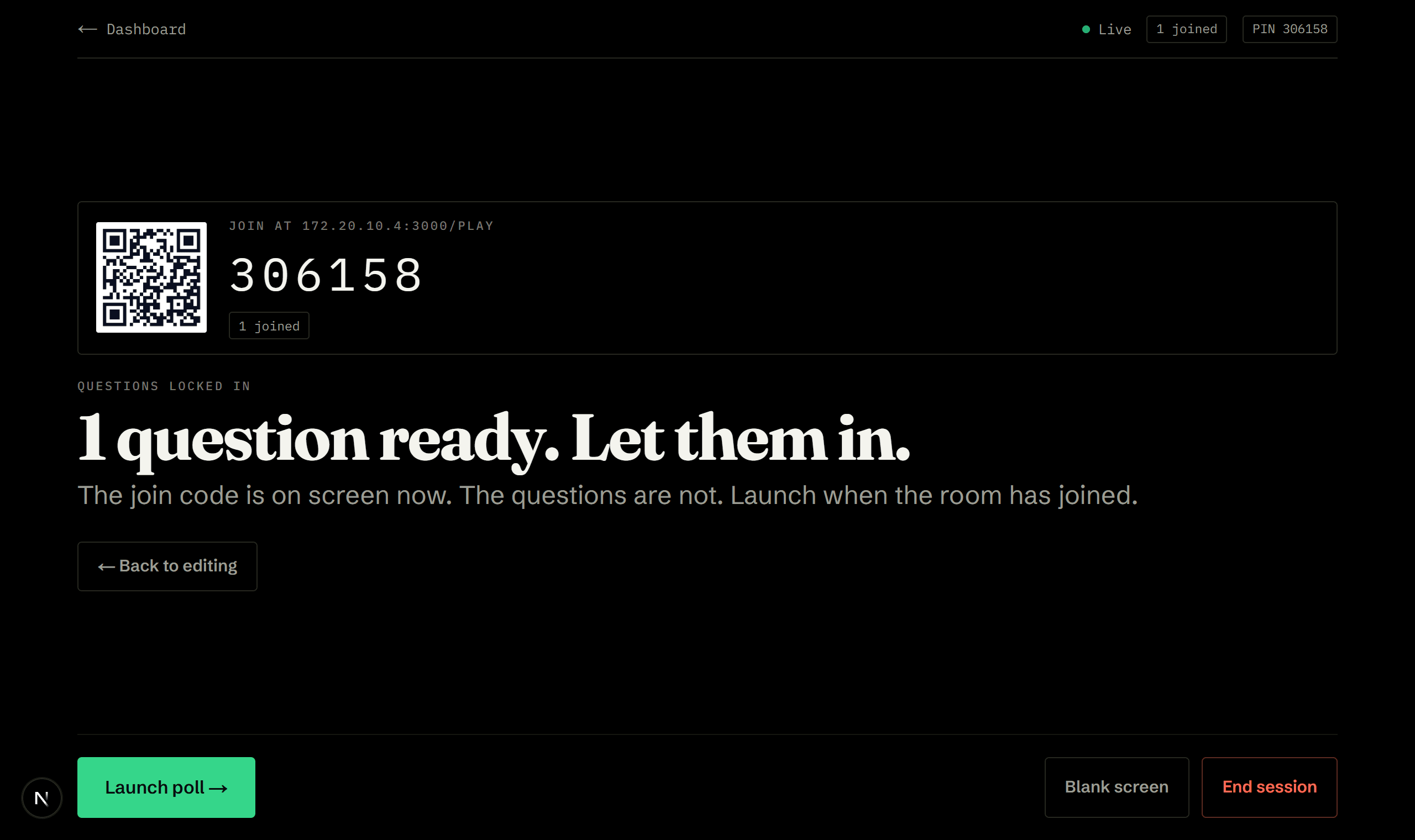
Now let them in
Questions lock and the code goes up. Still nothing on screen that gives them away.
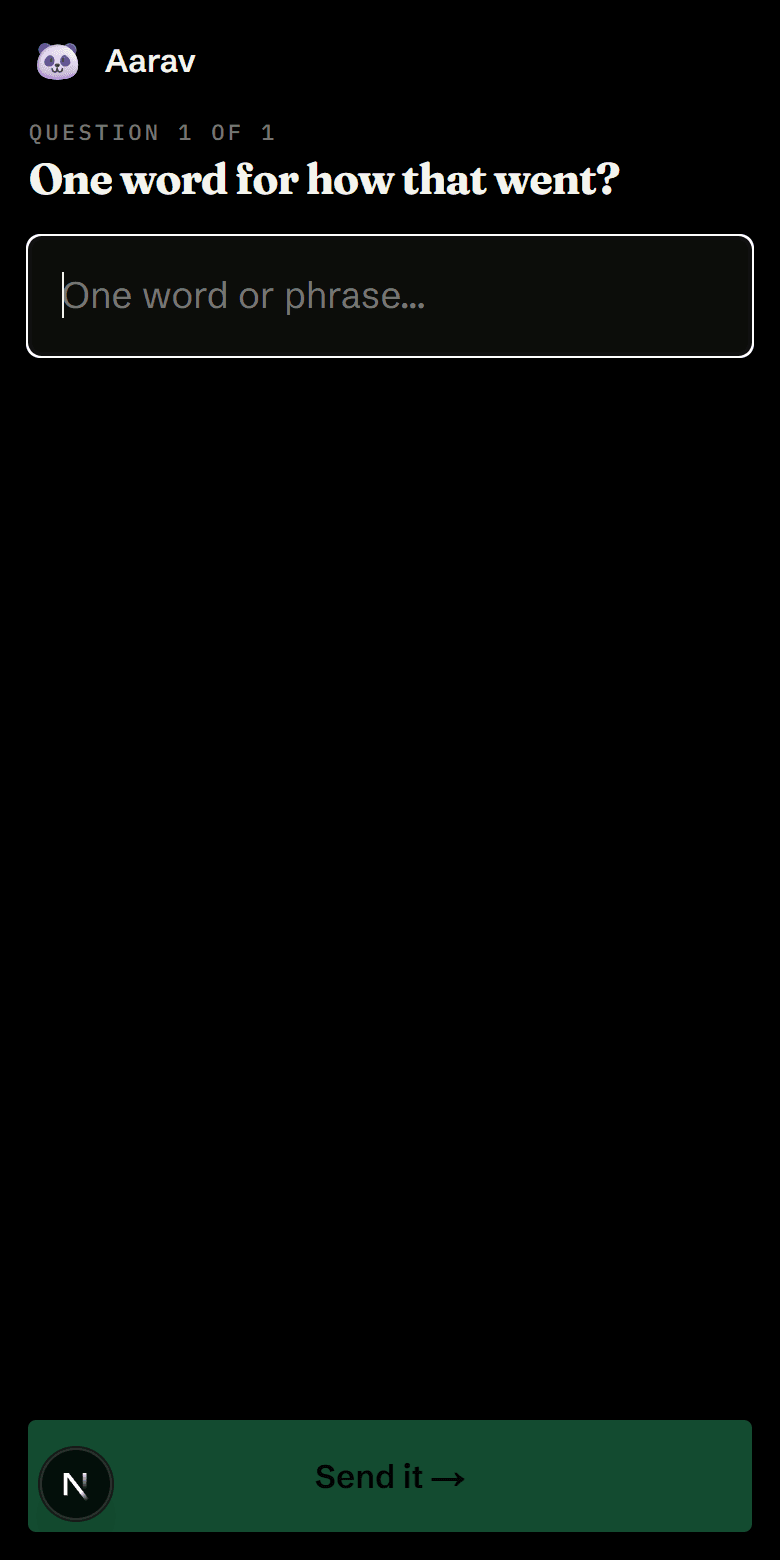
One question at a time
Their phone shows the question and nothing else. Results live on your board, not in their hand.
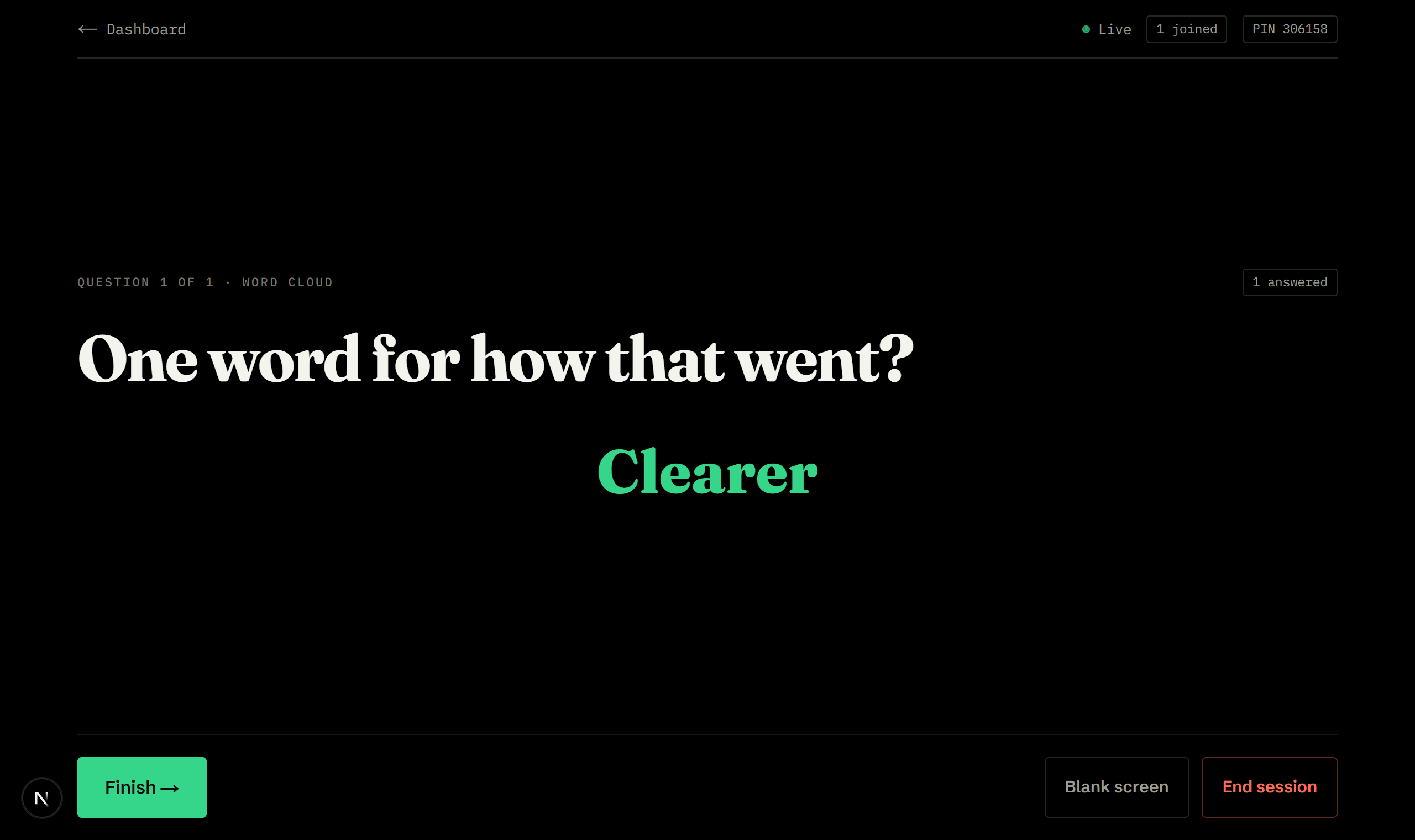
The room answers at once
The word cloud assembles itself, most common answer largest. Thirty answers, not four raised hands.
How a session goes.
- Write2 min
Add your questions: word cloud, multiple choice or open text. No join code is on screen yet, so nobody can read ahead. Save the set if you want it again later.
- Let them in1 min
Questions lock, the join code goes up. Nothing on screen gives the questions away.
- Launchyour pace
The first question goes live.
- Answer1 min each
One question at a time. Answers appear as they arrive, or stay hidden until you reveal.
- Discussyour pace
Move through the questions at your pace. Nothing advances without you.
The board shows one thing. Their phone shows another.
- A question builder on its own screen, with no join code visible
- A "save these questions" box, and any sets you saved before
- The live word cloud, bar chart or responses
- How many have answered
- A reveal button, if you chose to hold results back
- One question and one input
- Confirmation their answer was sent
- Nothing else, results live on the board
What we would tell you over tea.
- Use it as a temperature check. "How is this going so far?" as a word cloud takes half a minute and tells you whether to slow down or move on.
- Open with a word cloud on the topic and close with the same one. The difference is the lesson.
- Good for the questions nobody says out loud: what is still confusing, what they expected this to be about, whether the pace is right.
- Keep results hidden until reveal for opinion questions, or the first few answers steer the rest.
- Leave anonymity on. It is the reason the answers are worth reading.
- Write the questions before the room arrives. The join code only appears once you move on, so nobody reads them early.
- Save anything you will ask again. Start-of-term and end-of-term versions of the same poll make a genuinely useful comparison.
Ready when you are.
Making an account takes a minute, and the whole library opens with it.