QuizPulse
Upload the chapter you are teaching and get questions written from it, or bring your own, then play them as timed scored rounds.
What it is
Three ways to get a deck, and the first takes about a minute.
- Upload a PDF: a chapter, your notes, or a whole book. It reports the chapters and subtopics inside, and writes questions from the ones you pick.
- You choose how many, and whether they test recall, understanding or application.
- Or upload a spreadsheet you already have, or type questions into the form.
- However they arrive, the room plays them one at a time with a countdown and a live scoreboard.
- The answer column accepts a letter, a number, or the option written out in full, because people fill these in by hand.
Why it works
Every other activity brings its own content. This one carries yours.
- Writing twenty good questions is an hour of work, and it is why a tool like this goes unused on a busy week.
- Generating them from the chapter you are already teaching removes that hour.
- It does not remove your judgement. They land in a list to read and edit before anyone sees them.
- The explanation column is what separates this from a plain quiz, and it is what carries into your report.
Every screen you will touch, in order.
Real screenshots of the real thing. Swipe, or use the arrows. Nothing here is a mock-up.
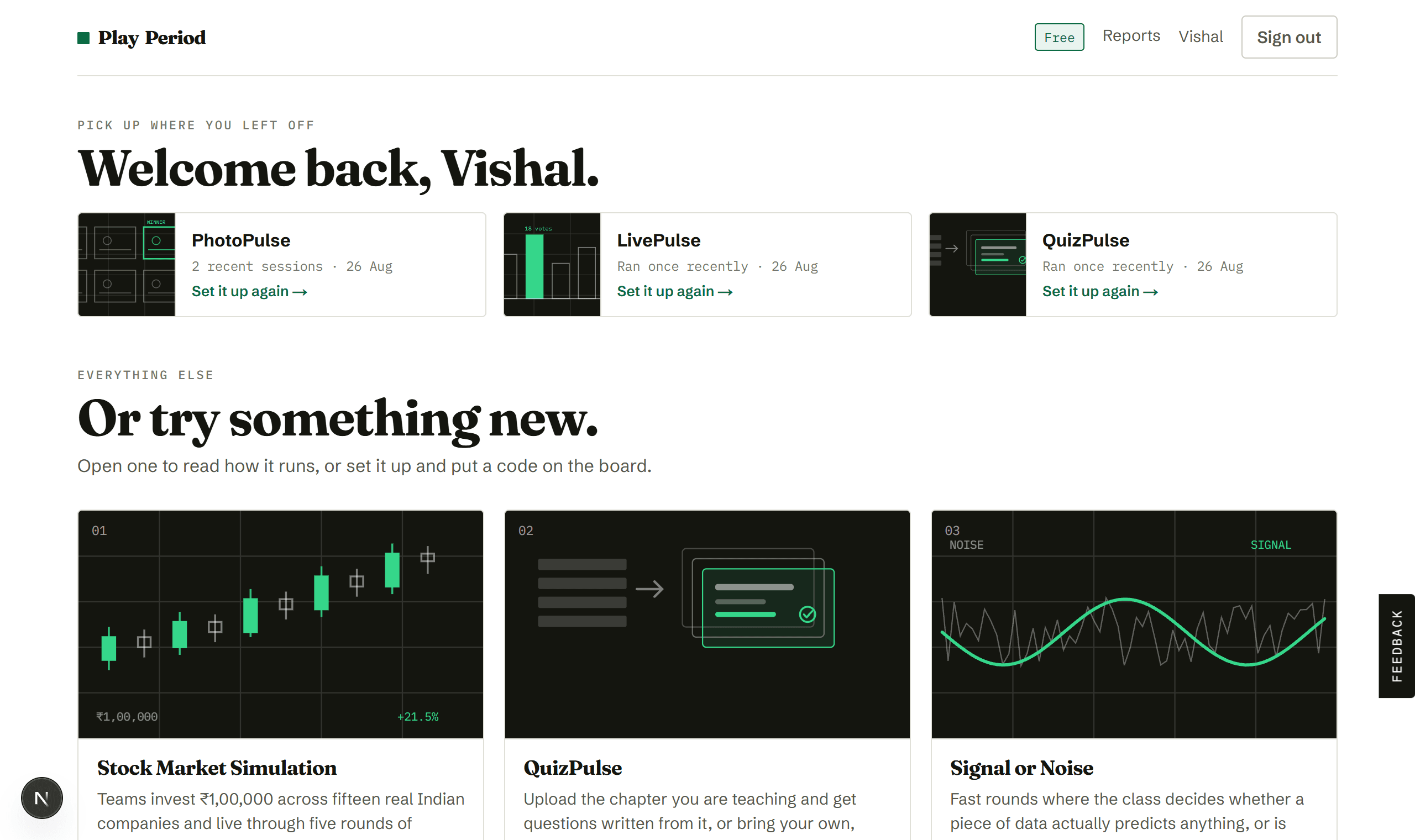
Pick an activity
Your library. Open any tile to read how it runs before committing to it.
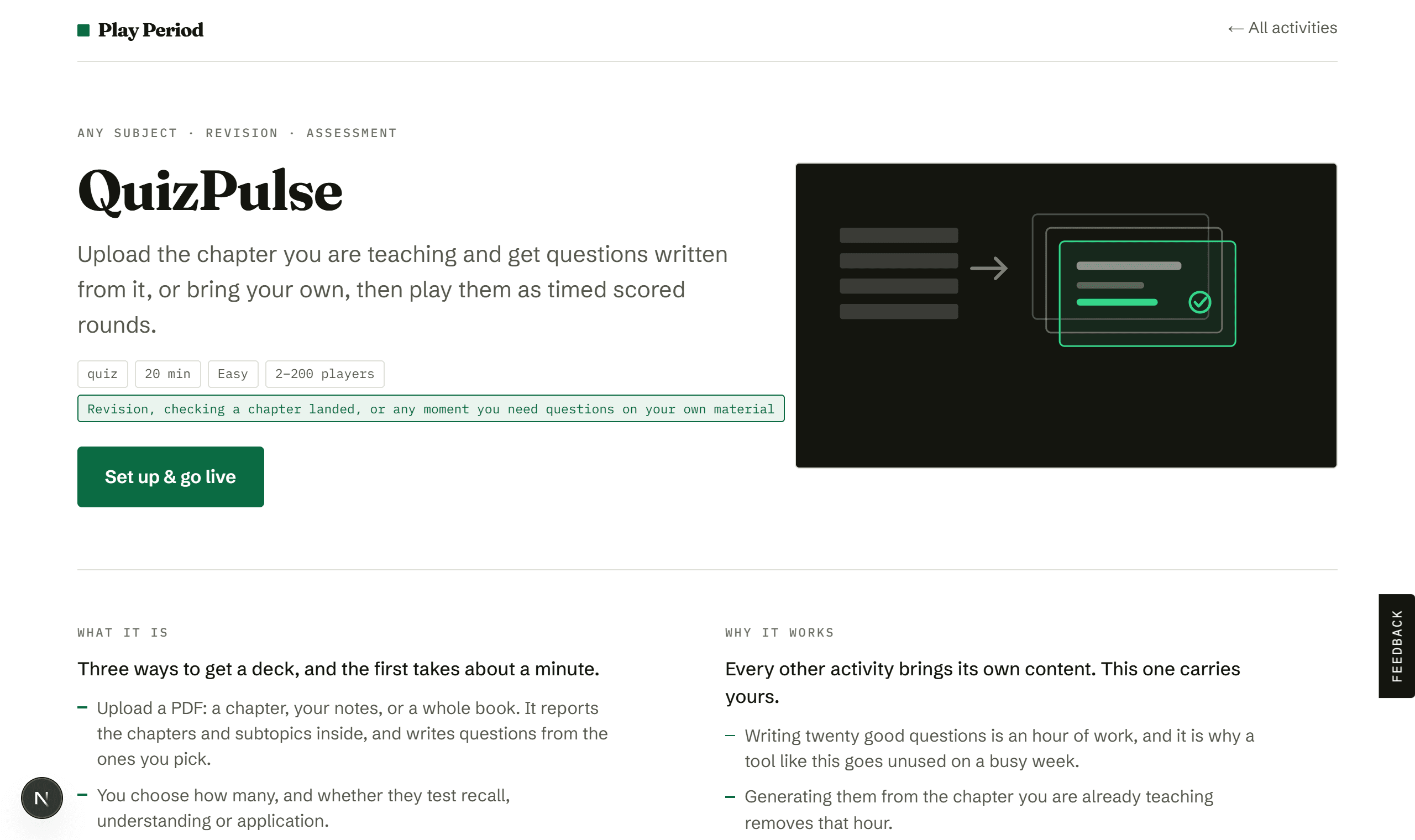
See how it runs
Your questions, timed rounds, live scoring, and a report on what the room got wrong.
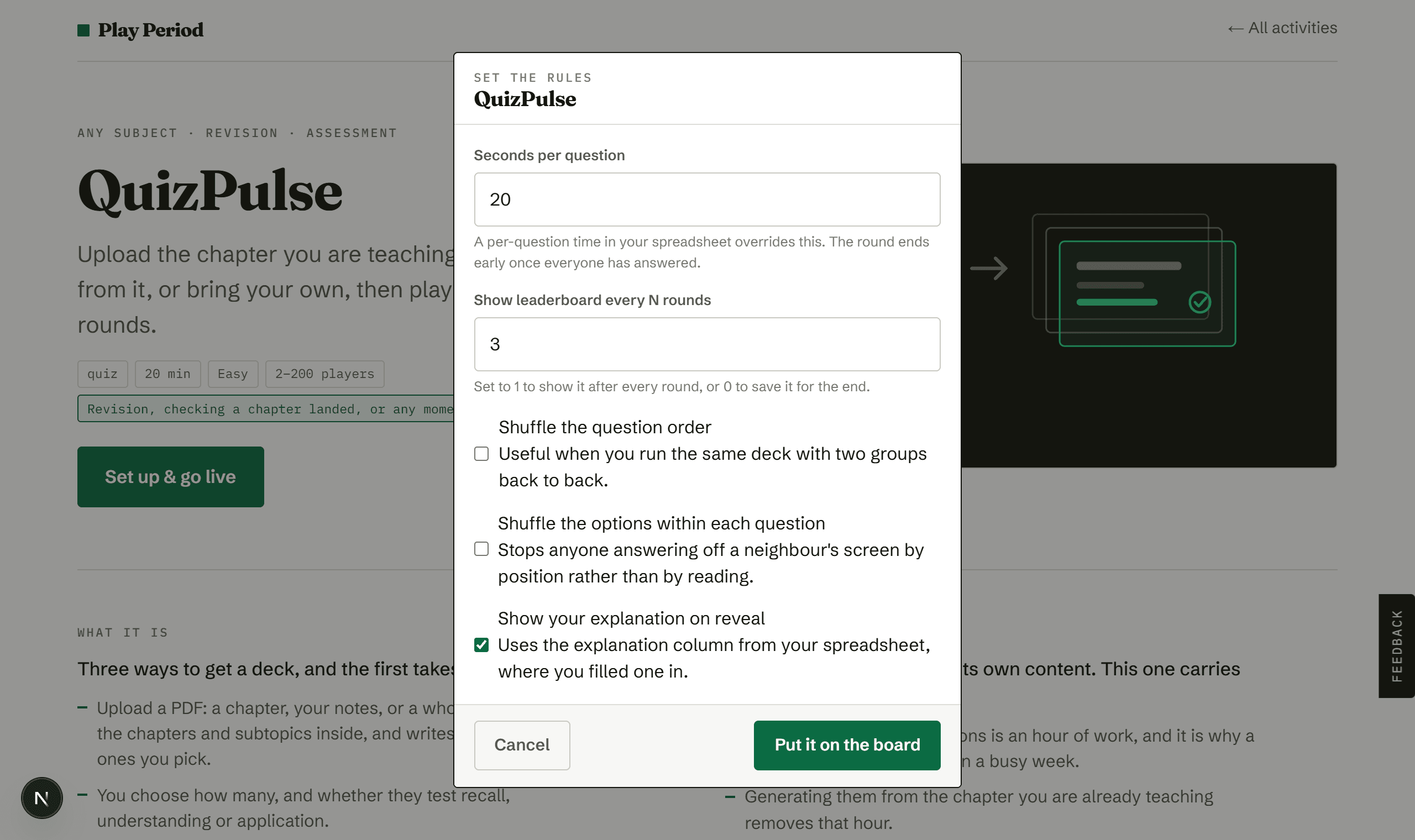
Set the rules
Seconds per question, how often standings show, and whether to shuffle. Defaults are sensible.
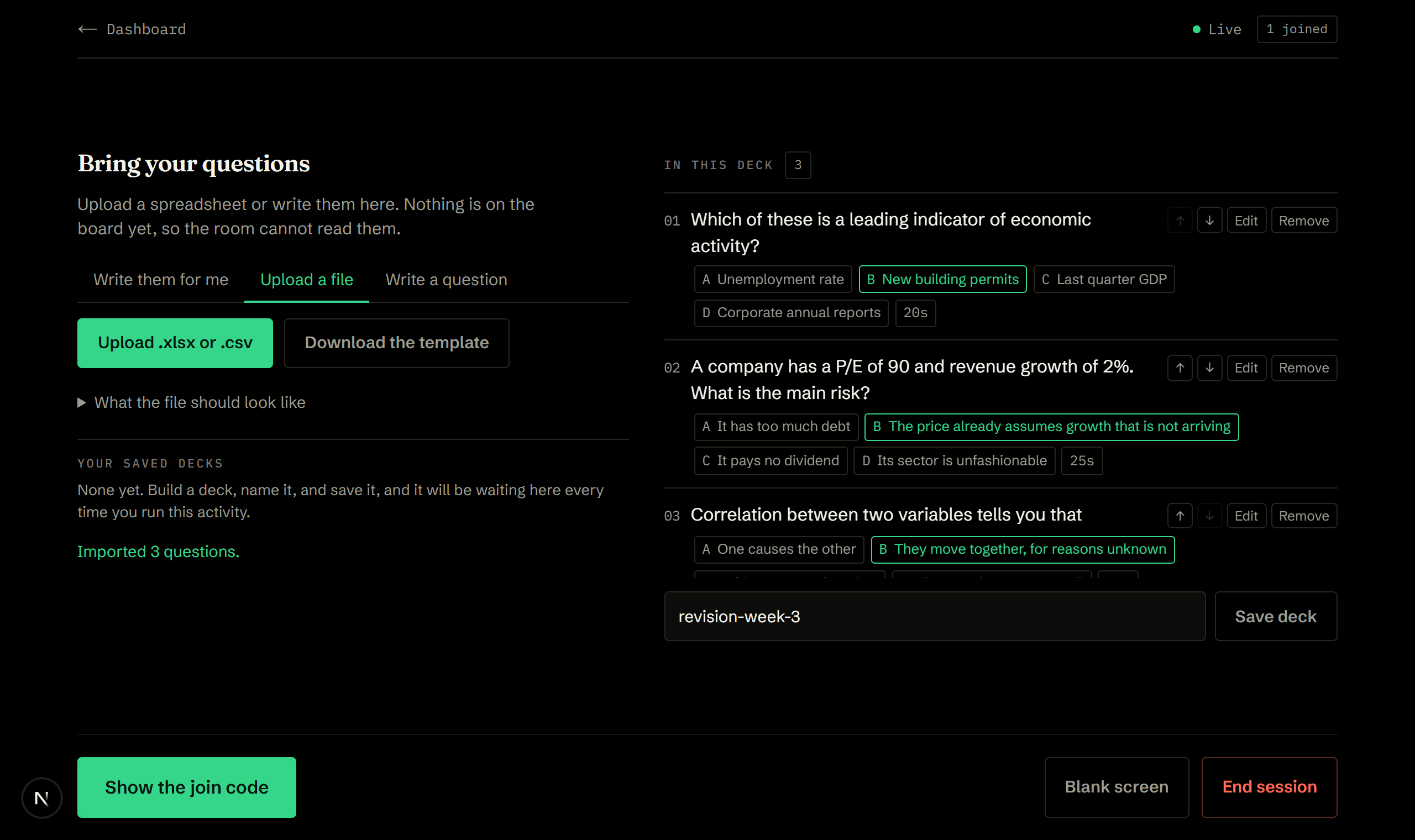
Bring your questions
Upload a spreadsheet and every question appears with its answer marked, so you can check the import before anyone can see it. No join code on this screen, on purpose.
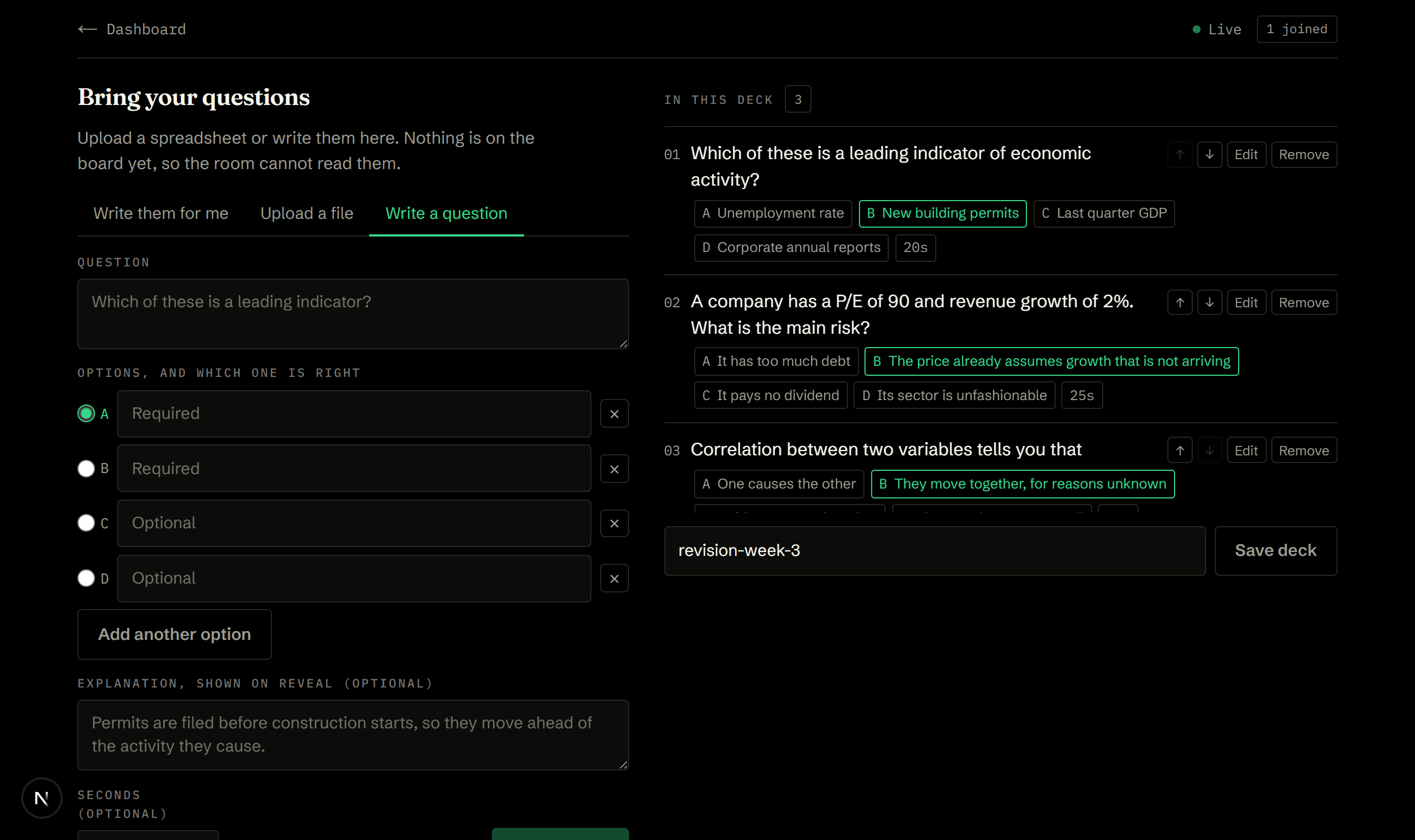
Or type them here
No spreadsheet needed. Write a question, mark the right option, add an explanation, and it drops into the deck.
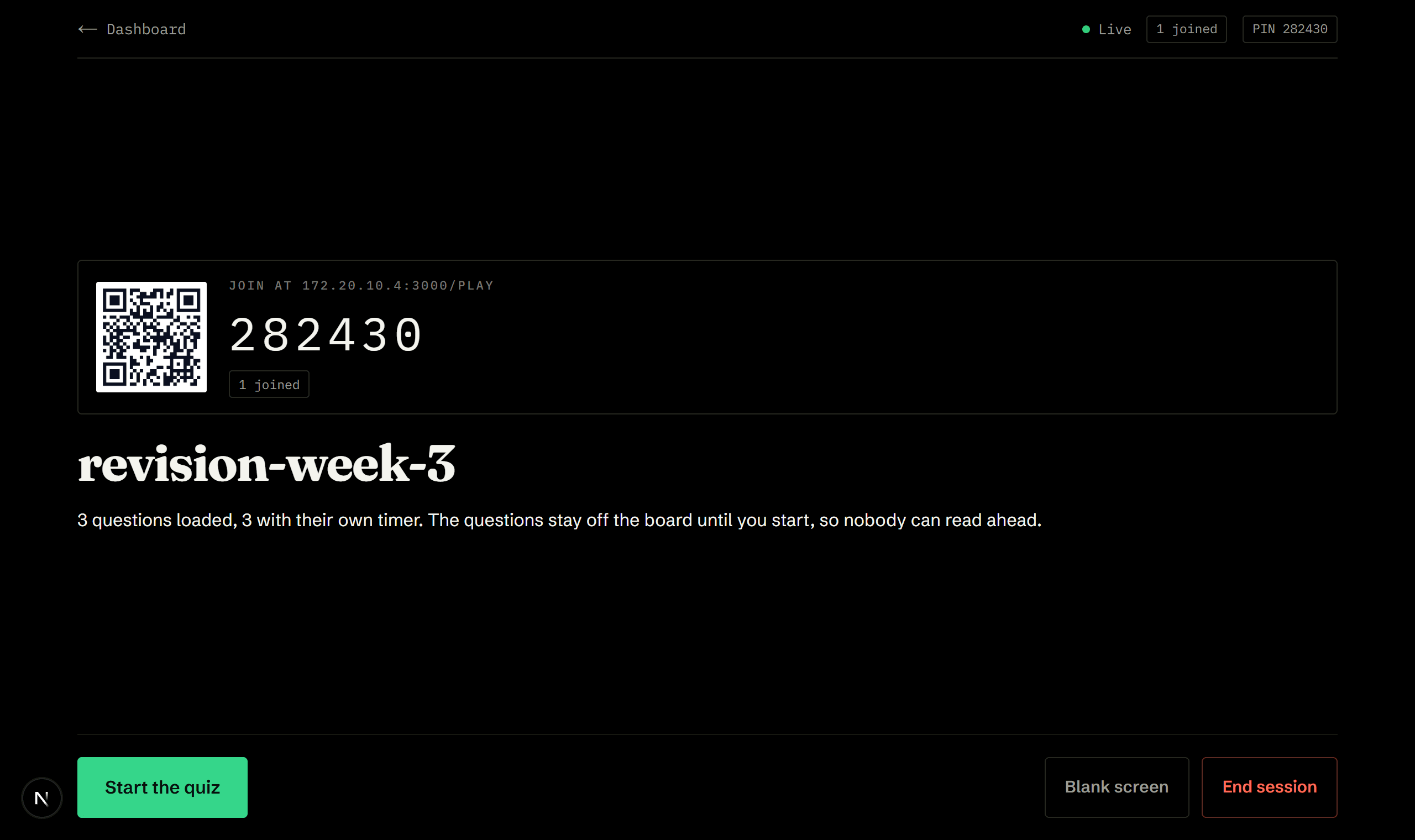
Now let them in
The deck locks and the code goes up. Still nothing on screen that gives the questions away.
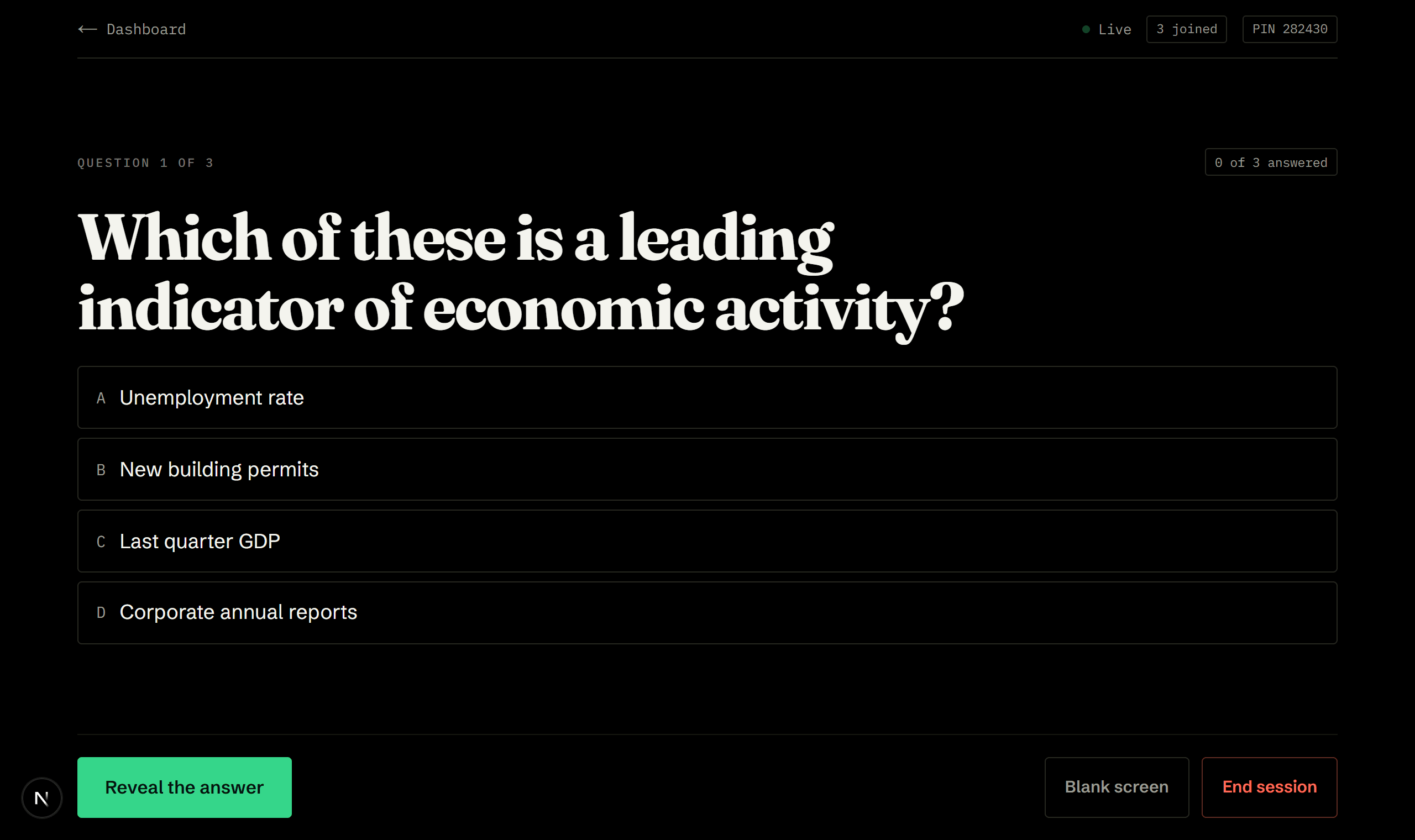
One question at a time
A countdown, and a live count of how many have answered without showing you who.
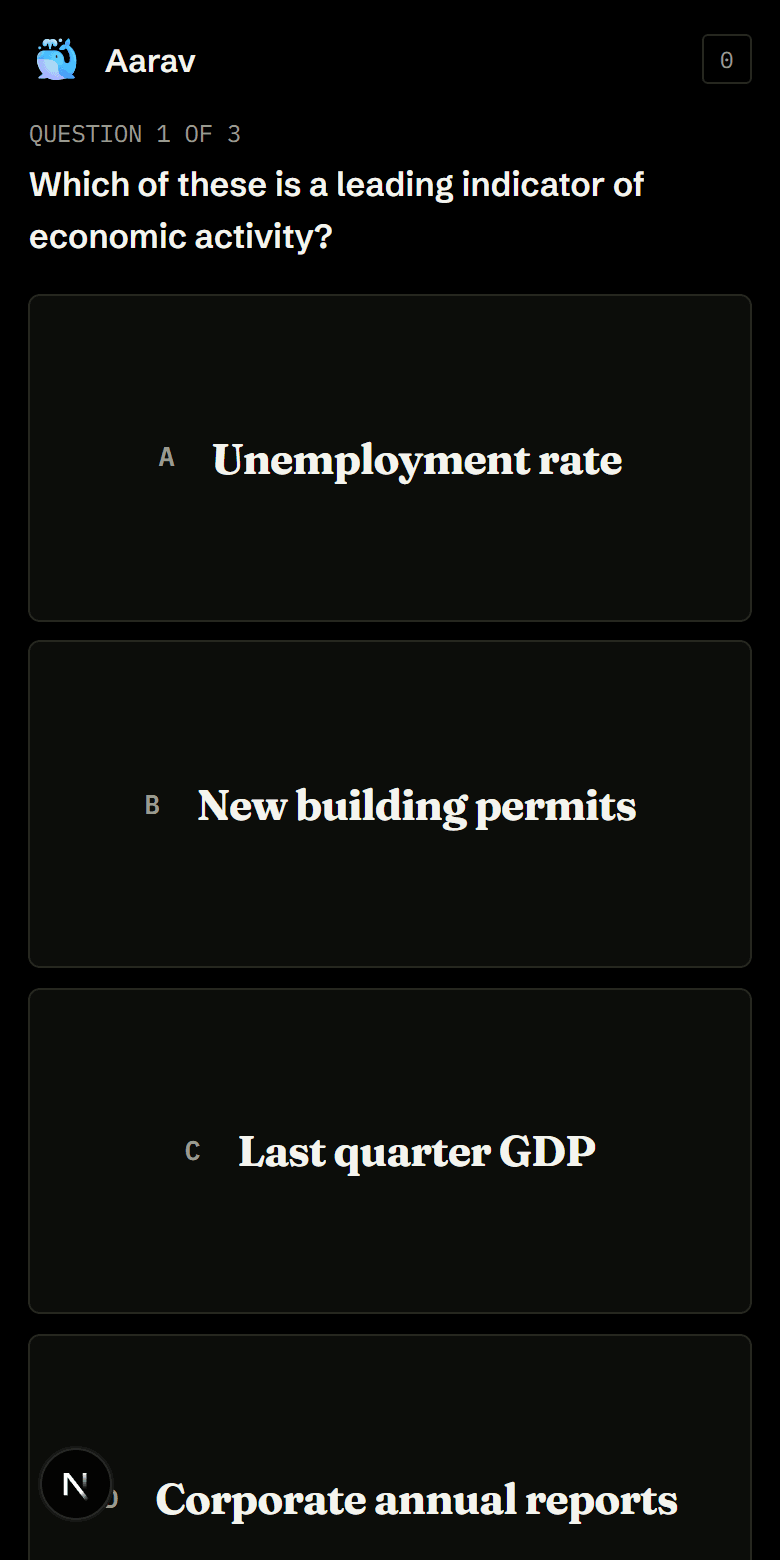
One tap on the phone
Options only, no scoreboard. Faster correct answers score more, so it moves.
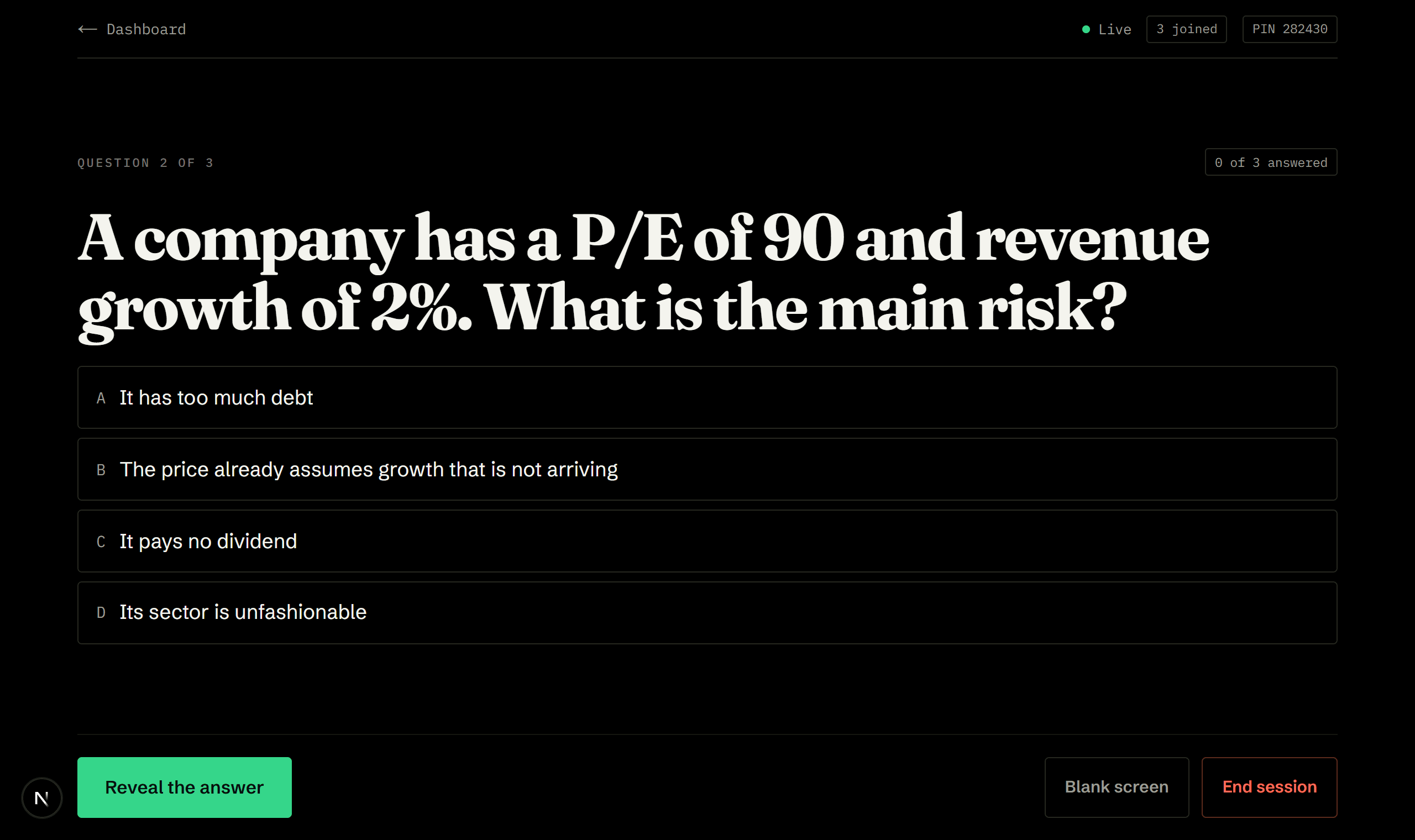
Reveal and explain
The answer, how the room split across the options, and your explanation underneath.
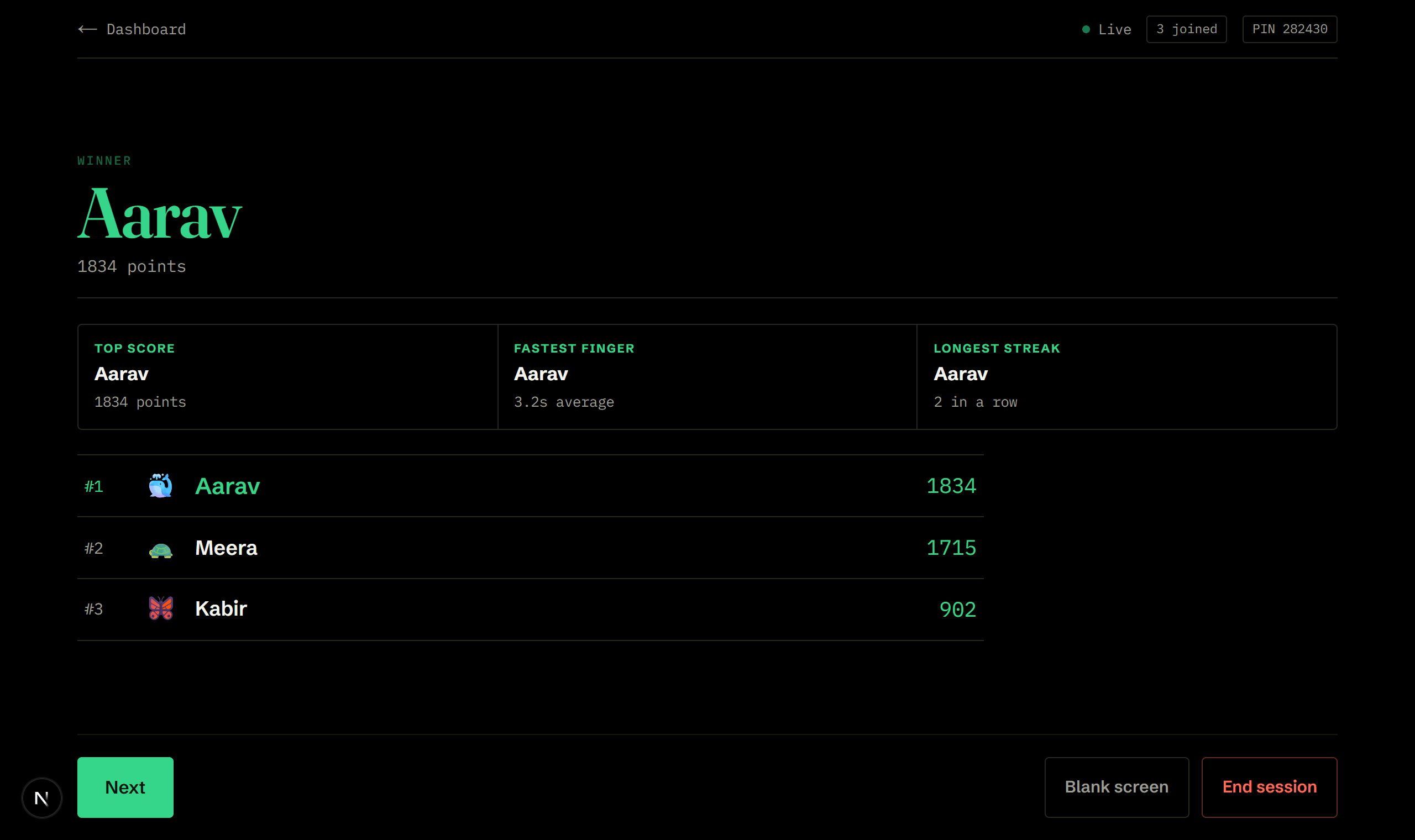
Four winners, not one
The top score in the largest type on the board, and beside it whoever was fastest, went longest without a wrong answer, and was most accurate. Often four different people.
How a session goes.
- Build the deck2 min
Generate from a PDF, upload a spreadsheet, or pick a saved deck. Every question appears on the board for you to check, with the correct option marked. No join code yet, so nobody can read ahead.
- Let them in1 min
The deck locks and the join code goes up. Still nothing on screen that gives the questions away.
- Play30 sec each
One question at a time with a countdown. The round ends early once everyone has answered.
- Reveal30 sec
The answer, how the room split across the options, and your explanation underneath.
- Awards1 min
The winner goes up in the largest type on the board, next to who was fastest, who went longest without a wrong answer, and who was most accurate.
- Report2 min
Which questions the room got wrong, ranked, with your explanations attached.
The board shows one thing. Their phone shows another.
- An import screen with your whole deck listed and the answer key marked
- Any rows that could not be read, called out by spreadsheet row number
- A live count of how many have answered, without who
- The distribution across options the moment you reveal
- A winner, and three more names for speed, streak and accuracy
- One question and its options, nothing else
- Confirmation their answer is locked
- Whether they were right, and your explanation, after the reveal
- Anything they personally won at the end, even if they did not come first
What we would tell you over tea.
- Read the generated questions before you start. Most are fine, some are worth a rewrite, and the one you change is usually the one that would have caused an argument in the room.
- Generate from one chapter at a time. Twenty questions spread across a whole book test nothing in particular.
- Fill in the explanation column. It is the difference between a scoreboard and a lesson, and it is what carries into your report.
- Aim for questions about half the room gets right. A question everyone answers correctly produces a leaderboard and no discussion.
- Use the Seconds column for the two or three questions that genuinely need working out, rather than slowing the whole deck down.
- Turn on option shuffling if people are sitting close together. It stops anyone answering by position rather than by reading.
- Save the deck. Running the same questions at the start and end of a topic is a genuinely useful comparison.
- Read the four awards out at the end rather than just the winner. Speed, streak and accuracy are different skills, so the names are often different too, which keeps the room invested past the point where the leader is obvious.
Ready when you are.
Making an account takes a minute, and the whole library opens with it.